



Some organizations might want to make sure their Microsoft 365 tenants aren’t being accessed through the Tor network or other anonymous proxies. To accomplish this goal, one quite functional and easily implemented approach is to use a combination of Conditional Access and Defender for Cloud Apps features. Let’s explore a simple implementation of this that covers core Microsoft 365 workloads.
There are two main components at play here:
- An Entra ID Conditional Access (CA) policy with Conditional Access App Control enabled
- A custom Defender for Cloud Apps Access Policy
1. Conditional Access
First, let’s create the required CA policy. We’ll scope it in a very broad and inclusive way: All users (excluding the emergency-only “break glass” admin account) & All cloud apps. No other limiting conditions – even though these would likely be used in actual production scenarios. The only other thing we’ll configure is the Session access control, where we’ll enable Use Conditional Access App Control with the setting Use custom policy…

Next, let’s move on over to the Defender for Cloud Apps portal.
2. Defender for Cloud Apps
In Defender for Cloud Apps, Microsoft maintains a built-in catalog of IP ranges and tags that can be used as conditions in policies.
Before taking further action, let’s take a quick look under Settings > IP address ranges. There, we can find the Threat Intelligence range containing dedicated tags for Tor, Botnets and Anonymous proxies. As mentioned, this collection of IP ranges is kept up-to-date by Microsoft making it a convenient way to target logins from these constantly evolving sources that might otherwise be a bit difficult to pin down.

In the Defender for Cloud Apps portal, we’ll navigate to Control > Policies and create a new, custom Access policy.
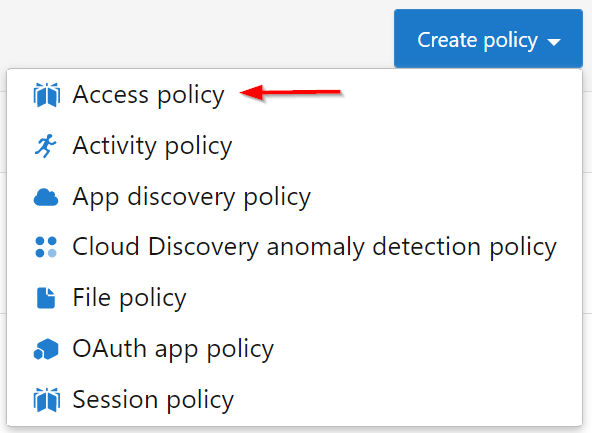
We can give the policy any severity level we like – I’ll set it to Low for this example. Now, we’ll define the actual criteria for when the policy affects log-ins. For this, we’ll use the dedicated IP tags mentioned a few paragraphs back.
The criteria for our custom policy will be:

For actions, let’s choose Block and while we’re at it, let’s define a custom block message to provide a bit more informational context to any user who ends up blocked by the policy.

We might want to collect some alerts for when the policy has triggered. For this, we will configure the Alerts section to both Create an alert for each matching event with the policy’s severity and to Send alert as email to a fitting security team mailbox or Teams channel.

Do note that we could also build a Power Automate workflow to trigger on each alert, enabling more complex processes to commence when the policy conditions are met. This is an article-worthy subject in its own right and we’ll overlook it for now.
Let’s save our Access policy and grab a cup of coffee ☕ to give the policy a few minutes to take effect.
3. Putting the solution to the test!
Now the time has come to see if our solution does what it is supposed to do. Let’s fire up the Tor browser and log in to the Office portal at portal.office.com.
After successfully providing a username, password and MFA (you should always use MFA) the connection makes use of the reverse proxy capabilities in Defender for Cloud Apps and directs the browser session through a page such as https://mytenant-onmicrosoft-com.prod04.access-control.cas.ms/aad_login. In this phase, the connection is checked against any applying CAS access policies. Since our connection is coming from a known Tor exit node, we’ll be greeted with a page informing us of the situation.
Success! ✅ No more unwanted connections to our Microsoft 365 core workloads through the Tor network or other anonymous proxies. The approach detailed here can be extended to cover other SAML 2.0 and Open ID Connect apps as well – check Microsoft Docs for more info on this.
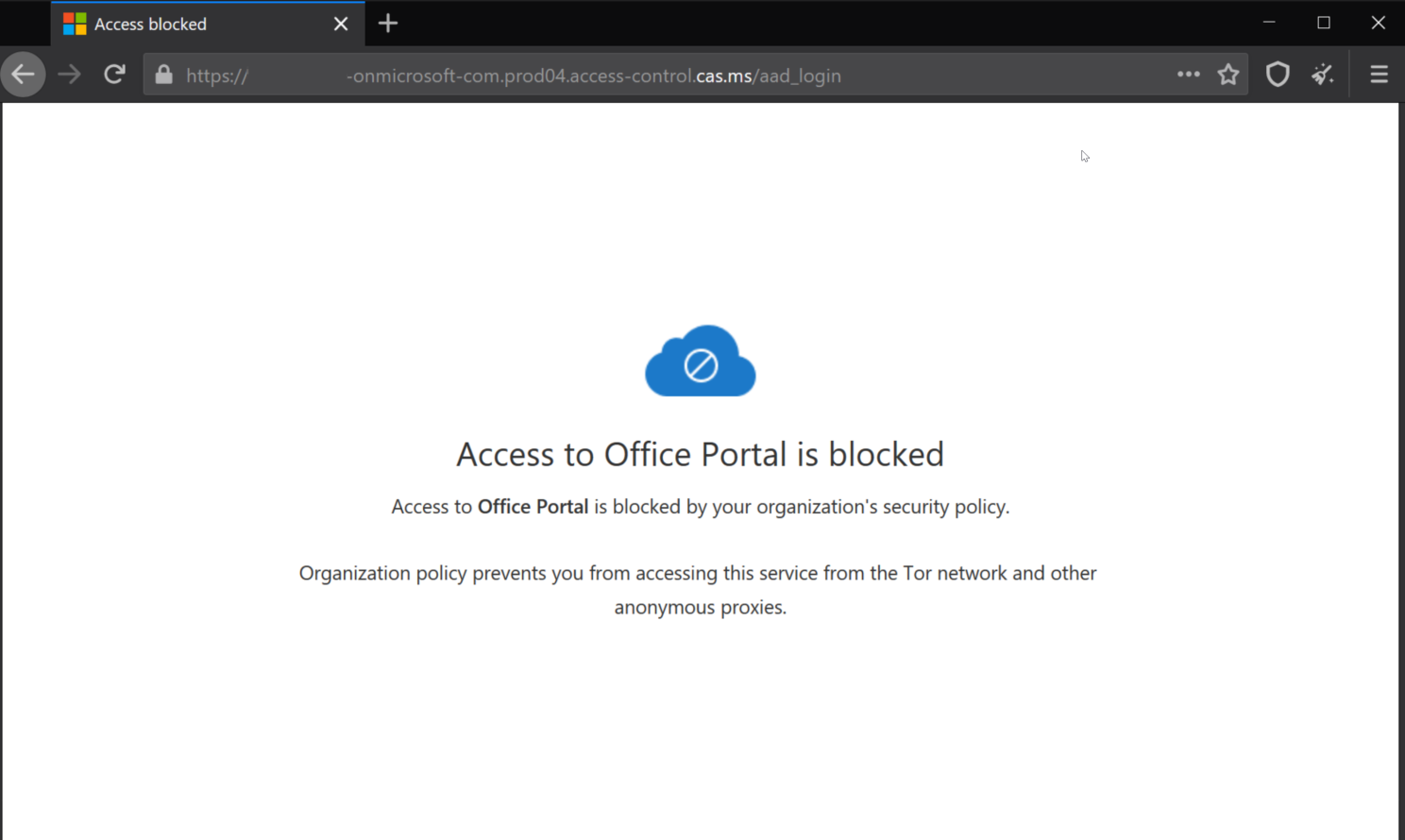
Hopefully this demonstrative write-up jogs your imagination to further explore the possibilities of Defender for Cloud Apps and Conditional Access. It is an interesting and quite powerful combination of tools for sure.
 Seppala365.cloud
One response to “Blocking sign-ins from Tor & other anonymous proxies in Microsoft 365”
[…] Tor network exit nodes, outdated web browsers, known bot networks or through anonymizing proxies. Check out my earlier blog for a taste of this […]
LikeLike